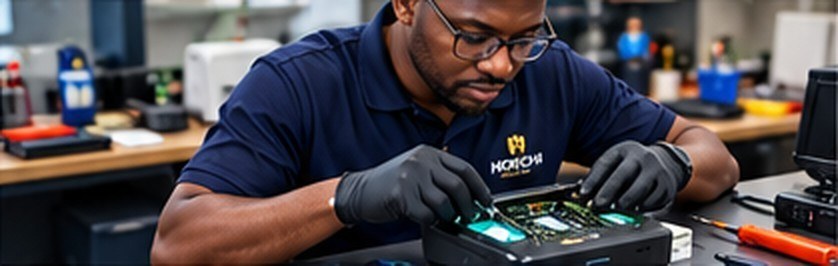
What we fix
Common faults we see every week.
We provide professional diagnosis, maintenance and repair services for all biometric scanners and enrollment devices — keeping your equipment in top condition and performing reliably.
- Device not detected or connecting
- Poor or failed fingerprint capture
- Scratched or damaged scan surface
- Cable, port and power faults
- Driver and setup problems
- Routine cleaning and servicing
How it works: bring the device to our Yaba head office or Surulere branch, or call us first. We will diagnose it and confirm the cost before any repair.
People who work on these devices every day.
No improvised fixes that fail a month later.
We know downtime costs you money.
Follow-up questions are part of the service.
Care & maintenance guide
How to care for your scanners and biometric devices.
Good daily habits keep your devices accurate, reduce failed captures and help them last longer. Share these tips with your whole team.
Keep the scan surface clean
- Wipe the glass or sensor at the start and end of each day with a soft, dry microfibre or lint-free cloth.
- For stubborn marks, use a cloth lightly dampened with water. Never spray liquid directly onto the device.
- Avoid tissue, paper towels, rough fabric and harsh or abrasive cleaners, which can scratch the surface.
Help customers give a good print
- Ask customers to have clean, dry hands. Oil, lotion, dirt and sweat reduce capture quality and leave residue.
- Place fingers flat and still; there is no need to press hard on the scanner.
- Keep rings, keys, pens and sharp objects away from the scan surface.
Protect from heat, dust and moisture
- Keep devices out of direct sunlight and away from heaters, generators and hot car interiors.
- Protect from rain, spills and high humidity, especially during field enrollment.
- Cover or store devices when not in use to keep dust and sand out.
Handle and store with care
- Avoid drops and knocks. Carry devices in a padded case or bag when moving between locations.
- Store in a cool, dry, clean place, never under heavy items.
- Do not stack devices on top of each other with the scan surfaces touching.
Look after cables and power
- Unplug by holding the connector, not the cable, and avoid bending or wrapping cables tightly.
- Use good-quality cables and connect directly to the computer where possible.
- Use a surge protector or stabiliser to guard against power fluctuations.
Tablets, batteries and software
- Charge with the correct charger, and avoid charging in very hot conditions.
- Install the right drivers and keep enrollment software updated as advised by your agency or software provider.
- Avoid installing unknown apps on enrollment tablets, and restart the device before assuming a fault.
Quick daily checklist
Two minutes, twice a day.
Before each shift
- Wipe the scan surface clean
- Check cables and connections
- Make sure tablets are charged
- Run a test capture
After each shift
- Clean the scan surface again
- Unplug cables by the connector
- Cover the device
- Store in a cool, dry, safe place
When to call a technician
Stop and bring it in.
If you see any of these, the device needs a technician rather than another clean or restart.
- The device is not detected, even after reconnecting and restarting.
- Captures keep failing or images are poor, even after cleaning.
- The scan surface is cracked, deeply scratched or discoloured.
- Lights do not come on, or the device switches off on its own.
- The device gets unusually hot, or ports and cables feel loose.
- A tablet battery is swollen. Stop using it immediately and bring it in.
Get in touch
Fleet to service?
Agencies and organisations with several devices to maintain can arrange scheduled servicing. Email the details and we will come back to you with a tailored plan.
Yaba, Lagos Branch116 Itire Road, Ojuelegba,
Surulere, Lagos
Call or email us
0802 299 9958 0810 017 9857 0802 222 9053info@hoechi.com.ng · Monday to Friday, 9:00am–5:00pm